borc, your company's AI assistant
The answers are already in your documents.
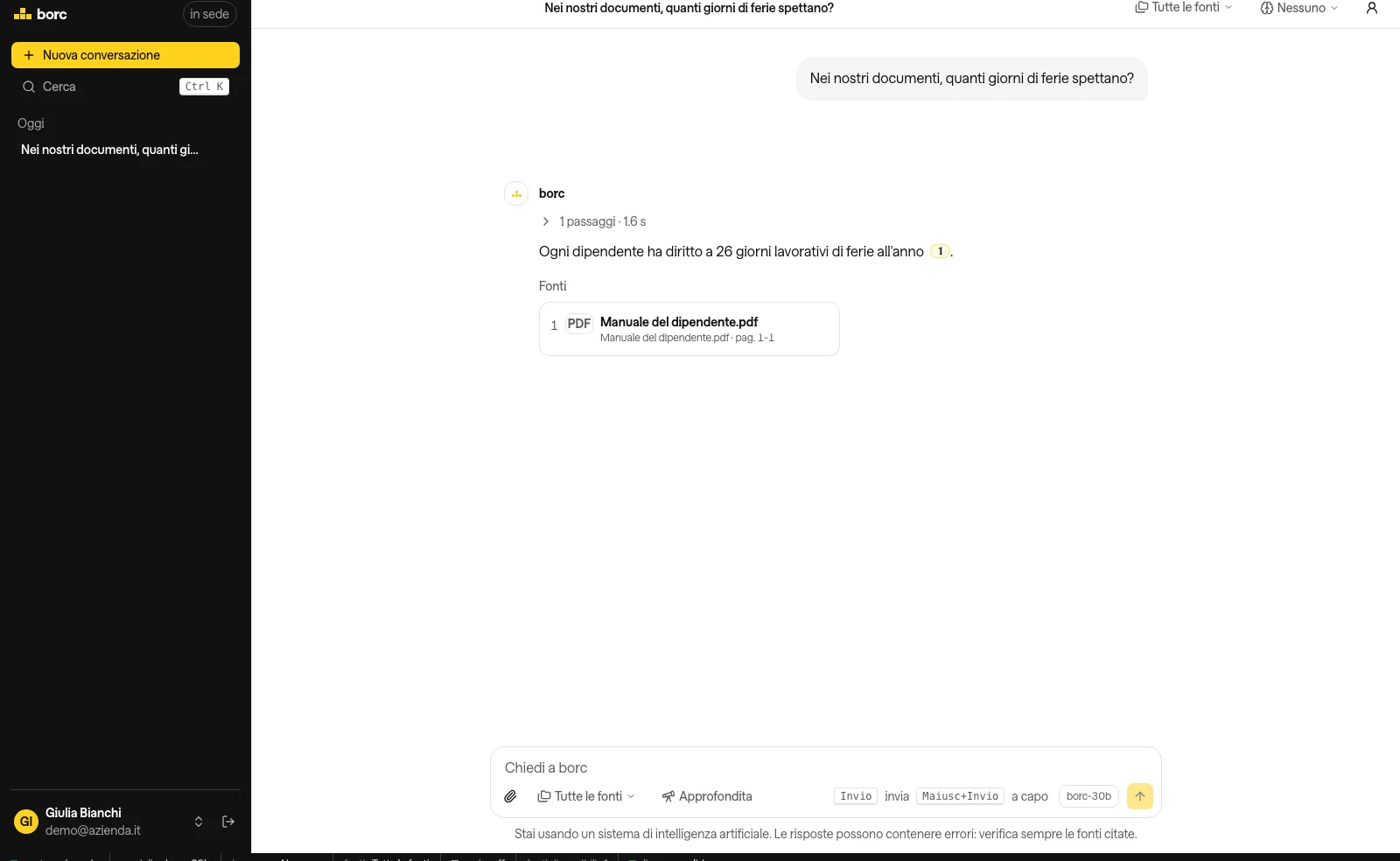
Ask a question in plain language and borc answers from the documents you already have, citing the document and the page. It runs on the machine in your office: nothing leaves your network.
How it works
Three steps, with no technical skill required.
-
It is installed in your office
A server inside your network, with no ports open to the internet. Software, documents and history stay there.
-
It connects your folders
The same network folders and NAS you use every day. borc reads them without moving the files and respects the permissions.
-
Ask and verify
Type the question and get the answer with the document and the page it comes from.
Why choose borc
An assistant that works on your documents and stays inside your network.
Your data stays in the company
Documents, conversations and users live on the machine in your office. Only numbers reach our systems, never the content.
Everyone sees only their own files
borc inherits the permissions of your network folders and NAS. Anyone who could not open a file cannot find it in the answers either.
Answers with the source
Every statement cites the document and the page. You can open the original passage and check it yourself.
Predictable cost
One licence per size, based on how many of you there are. No charge per question and no mandatory external service.
Uses what you already have
Network folders, NAS and company accounts. There is no need to upload copies of documents anywhere.
Who works with borc
Every team finds in seconds what used to be a question for the colleague next door.
Office and administration
Holidays, expenses, forms and internal procedures: the answer arrives at once, with the document in hand.
Technical and production
Manuals, instructions and data sheets are within reach on the shop floor too, from a phone or a computer.
Sales
Price lists, contracts and supply terms always to hand, without digging through everybody's folders.
Quality and safety
Procedures and operating instructions with the right version, the one in force today.
Cloud AI or borc
The differences that matter when the documents belong to the company.
| Cloud AI | borc | |
|---|---|---|
| Your documents stay in your network | No | Yes |
| No copy of the data outside the company | No | Yes |
| Uses the permissions of the folders you already have | No | Yes |
| Works without the internet | No | Yes |
| Predictable cost, not per question | No | Yes |
One point of trust remains: we write and update the software. If you ask for it, every update waits for your approval.
How big it needs to be
The size decides how many people and how much load. The machine is chosen at installation, after a test on your documents.
XS
Small teams and few documents.
S
A department or a function.
M
Companies with several departments.
L
Several sites or many sources together.
XL
The largest installations, with the highest load.
Frequently asked questions
Where does my data end up?
On the machine installed in your network. Documents, history and users stay there, with no ports open to the internet.
Do I have to give borc access to my documents?
No. Our systems only see the contract, some numeric metrics and the number of active users. Never users, documents, conversations or file names.
How do employees sign in?
They get the instance address from their IT and sign in with their company account. No service derives the instance from an email.
What machine do I need?
It is chosen at installation, based on how many of you there are and how many documents you have. Write to us and we define it together.
Does it work without the internet?
Yes. Open sessions, domain accounts and local accounts keep working. The internet is only needed for external services, if you chose them.
Does it search the web too?
Only if the administrator turns it on from the panel, with a confirmation on every search. It is off by default.
Can I trust the answers?
Every answer drawn from the documents cites the exact passage, with document and page. You can open the source and check.
Who updates the software?
Updates are signed offline and published with the notes. If you ask for it, every update waits for your approval from the panel.
Try it on your documents
A demo on your machine, with your files, before any commitment.
Request a demo